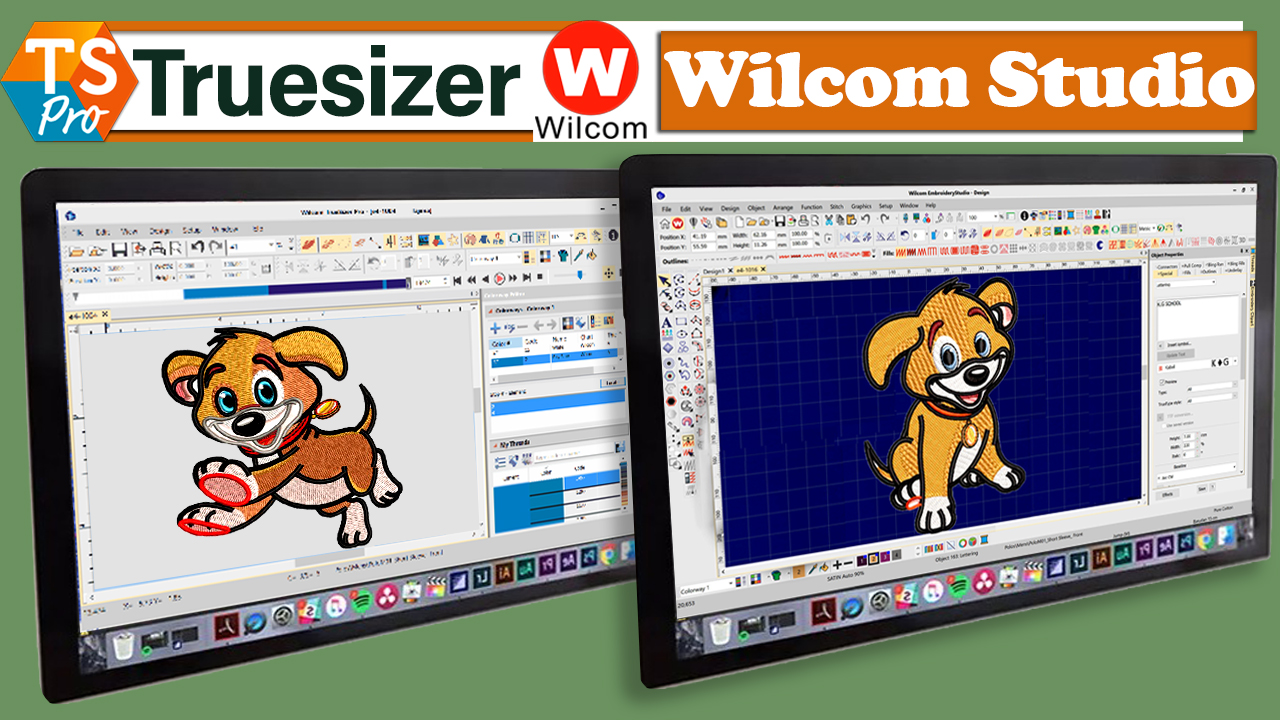
Embroidery enthusiasts, if you’re looking for a versatile and powerful software solution for your embroidery needs, look no further than Truesizer, part of the renowned Wilcom Embroidery Studio suite. In this comprehensive guide, we’ll provide an overview of Truesizer and explore its features, benefits, and how it can elevate your embroidery projects to new heights.
What is Truesizer?
Truesizer is a best embroidery digitizing software developed by Wilcom, a leading provider of embroidery design software solutions. It is part of the larger Wilcom Embroidery Studio suite and is designed to provide embroidery enthusiasts with essential tools for viewing, resizing, and editing embroidery designs.
Key Features of Truesizer
- Design Viewing: Truesizer allows users to view embroidery designs in various file formats, including popular formats such as DST, EMB, and more. This feature enables users to visualize their designs before stitching them out on their embroidery machines.
- Resizing: One of the standout features of Truesizer is its ability to resize embroidery designs with ease. Whether you need to make a design larger or smaller, Truesizer offers precise resizing options to ensure that your designs fit your project perfectly.
- Editing Tools: Truesizer provides basic editing tools for users to make simple adjustments to their embroidery designs. This includes functions such as rotating, flipping, and mirroring designs, as well as adjusting stitch density and color.
- Compatibility: Truesizer is compatible with both Windows and Mac operating systems, making it accessible to a wide range of users. It also supports a variety of embroidery machine formats, allowing users to work with designs from different sources seamlessly.
Benefits of Using Truesizer
- Ease of Use: Truesizer is designed with user-friendliness in mind, making it accessible to embroidery enthusiasts of all skill levels. Its intuitive interface and straightforward navigation ensure that users can quickly learn and master the software.
- Cost-Effectiveness: As a free software solution, Truesizer offers incredible value to embroidery enthusiasts who may be working within budget constraints. Users can enjoy essential embroidery editing and resizing capabilities without having to invest in expensive software.
- Versatility: Truesizer’s compatibility with various file formats and embroidery machine types makes it a versatile tool for embroidery enthusiasts. Whether you’re working with designs from different sources or using different embroidery machines, Truesizer has you covered.
How to Use Truesizer
Using Truesizer is simple and straightforward. Here’s a basic overview of how to use the software:
- Download and Install: Start by downloading Truesizer from the Wilcom website and installing it on your computer. The installation process is quick and easy, and the software is available for both Windows and Mac operating systems.
- Import Your Design: Once Truesizer is installed, import your embroidery design into the software by navigating to the “File” menu and selecting “Open.” Choose your design file from your computer’s directory, and it will appear in the Truesizer workspace.
- View and Resize: With your design imported, use Truesizer’s viewing and resizing tools to adjust the size and orientation of your design as needed. You can preview how your design will look at different sizes and make adjustments accordingly.
- Edit (Optional): If desired, use Truesizer’s editing tools to make simple adjustments to your design, such as rotating, flipping, or adjusting stitch density. These tools allow you to customize your design to suit your preferences before stitching it out on your embroidery machine.
- Save and Export: Once you’re happy with your design, save it in your desired file format and export it to your embroidery machine for stitching. Truesizer supports a variety of file formats, ensuring compatibility with most embroidery machines on the market.
Conclusion
In conclusion, Truesizer is a valuable tool for embroidery enthusiasts looking to view, resize, and edit their embroidery designs with ease. With its user-friendly interface, versatile features, and cost-effectiveness, Truesizer is a must-have addition to any embroiderer’s toolkit. Whether you’re a beginner or a seasoned pro, Truesizer provides essential tools for bringing your embroidery projects to life.
FAQs (Frequently Asked Questions)
1. Is Truesizer compatible with all embroidery machine brands?
Truesizer is compatible with a wide range of embroidery machine brands and formats, making it a versatile choice for embroidery enthusiasts.
2. Can I use Truesizer to create new embroidery designs from scratch?
Truesizer is primarily designed for viewing, resizing, and editing existing embroidery designs. While it does offer some basic editing tools, it may not have the full range of features required for creating designs from scratch.
3. Can I use Truesizer on multiple computers?
Yes, Truesizer can be installed on multiple computers, allowing you to access and use the software wherever you go.
4. Is Truesizer available for mobile devices?
At this time, Truesizer is only available for Windows and Mac computers and is not available as a mobile app.
5. Can I upgrade from Truesizer to the full Wilcom Embroidery Studio suite?
Yes, if you find that you need more advanced features and capabilities, you can upgrade from Truesizer to the full wilcom embroidery studio suite. Contact Wilcom for more information on upgrading options.