Introduction
Revit modeling has become an indispensable tool in the Architecture, Engineering, and Construction (AEC) industry, revolutionizing the way buildings are designed, analyzed, and constructed.
This comprehensive guide provides a step-by-step overview of the Revit Modeling process, shedding light on its significance and benefits in the realm of Building Information Modeling (BIM).
Understanding Revit BIM Modeling
Revit BIM modeling entails the creation of digital representations of building elements and systems within the Revit software platform.
It encompasses three main disciplines: Architectural, Structural, and MEP (Mechanical, Electrical, and Plumbing), each serving a distinct purpose in the building design process.
- Architectural Elements: These include walls, floors, roofs, doors, and windows, which form the fundamental components of a building’s architectural design.
- Structural Elements: Structural beams, columns, slabs, and foundations constitute the skeletal framework of a building, providing stability and support.
- MEP Elements: Mechanical equipment, electrical fixtures, plumbing fixtures, and ductwork represent the building’s mechanical, electrical, and plumbing systems, ensuring functionality and efficiency.
Revit Modeling: The Foundation for Building Information Modeling
Revit modeling serves as the cornerstone of the BIM process, facilitating the creation of a comprehensive digital model that encapsulates all aspects of a building project.
This model serves as a centralized repository of building information, enabling stakeholders to collaboratively design, analyze, and manage the entire project lifecycle.
By integrating Architectural, Structural, and MEP Models within a unified BIM environment, Revit ensures seamless coordination, clash detection, and data exchange among disciplines.
This integrated approach enhances decision-making, minimizes errors, and optimizes project outcomes, ultimately leading to cost savings, reduced rework, and enhanced project efficiency.
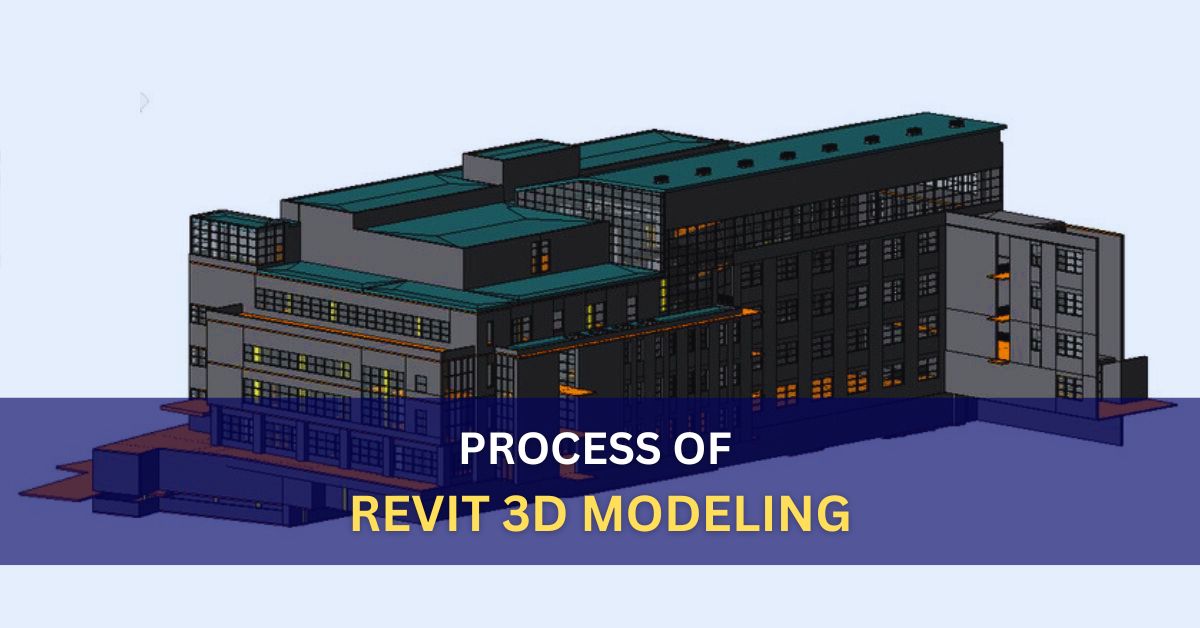
The Step-by-Step Process of 3D Revit Modeling
The process of 3D Revit modeling begins with the creation of a new project file in the Revit software. Users start by selecting a template that aligns with the project requirements, such as architectural, structural, or MEP.
Once the project is initiated, the following steps outline the implementation of 3D Revit modeling:
Building Geometry Creation
Users utilize Revit’s intuitive tools to create the basic building geometry, including walls, floors, roofs, and ceilings. These elements are drawn directly within the software using precise dimensions and parameters.
Element Placement and Modeling
With the building structure in place, users proceed to add architectural, Structural, and MEP elements to the model. This includes placing doors, windows, columns, beams, HVAC equipment, electrical fixtures, and plumbing components as per the project specifications.
Parametric Modeling
Revit’s parametric modeling capabilities enable users to define and modify elements with dynamic properties. Parameters such as dimensions, materials, and performance criteria can be adjusted, allowing for rapid design iterations and updates.
Detailing and Annotation
Users enhance the model with detailing and annotation elements, including text, dimensions, and symbols. These annotations provide clarity and context to the design, aiding communication and comprehension among project stakeholders.
Coordination and Clash Detection
As the model evolves, users utilize Revit’s coordination tools to ensure seamless integration among architectural, structural, and MEP components. Clash detection features identify potential conflicts or collisions between elements, allowing for preemptive resolution to avoid issues during construction.
Visualization and Rendering
Revit offers advanced visualization and rendering capabilities to create photorealistic images and presentations of the 3D model. Users can apply materials, textures, and lighting effects to enhance visualizations and convey design intent effectively.
Documentation and Output
Finally, users generate construction documentation, including floor plans, elevations, sections, schedules, and 3D views, directly from the Revit model. These documents serve as blueprints for construction and provide crucial information for contractors and builders.
The Benefits of Revit 3D Modeling
Revit 3d modeling offers great benefits to design professionals and project stakeholders on construction projects.
Below are the main benefits of 3d revit modeling:
- Enhanced visualization and communication of design intent
- Improved coordination and clash detection among disciplines
- Streamlined design iterations and revisions
- Increased accuracy and efficiency in quantity takeoffs and cost estimation
- Facilitation of prefabrication and modular construction techniques
Conclusion
In conclusion, the process of Revit modeling serves as a foundational pillar in the BIM workflow, empowering AEC professionals to create, analyze, and manage building projects with unparalleled efficiency and precision.
By embracing Revit’s robust features and capabilities, stakeholders can enhance visualization, and improve coordination and accuracy of construction projects. Many AEC companies and professionals are outsourcing their 3d revit modeling requirements to optimize cost/time and focus on core business.
Also Read, 5D BIM Estimation Services